Subnet
Resource Icon

Resource Overview
A subnet is a range of IP addresses within a VPC. AWS resources such as EC2 instances can be launched within a specific subnet.
Associated Resources
Parent Resources
Child Resources
- DirectoryService
- Eip
- Instance
- NetworkInterface
- EksCluster
- ElasticacheCluster
- Elasticsearch
- LambdaFunction
- Aurora
- Mariadb
- Mssql
- Mysql
- Oracle
- Postgresql
- NatGateway
Connected Resources
Resource Configuration
Basic Settings
included_vpc_name: Name of the VPC where the Subnet will be deployedcidr_block: IP address range (CIDR) of the Subnetavailability_zone: Availability Zone where the Subnet will be deployedpip_enable: Whether to automatically assign a public IP -true,false
Tags
tag: Tags used to categorize the resource
How to Convert a Private Subnet to a Public Subnet
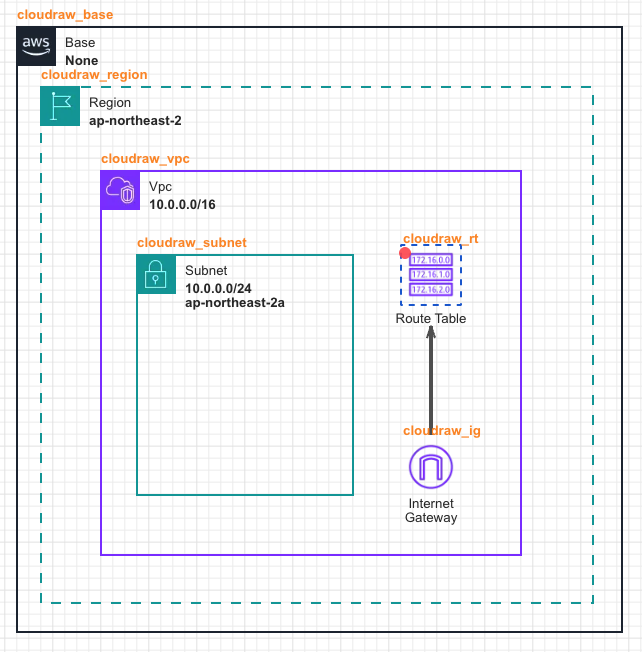
- Place the Internet Gateway resource, which enables communication with the external internet, and the Route Table resource that defines the route to the Internet Gateway on the canvas.
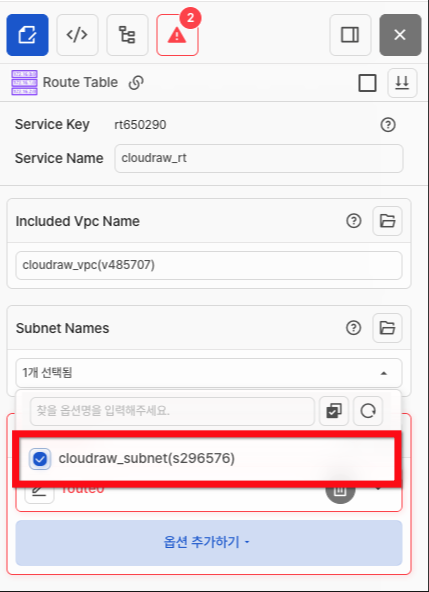
- Select the Subnet to which the routing table rules will be applied.
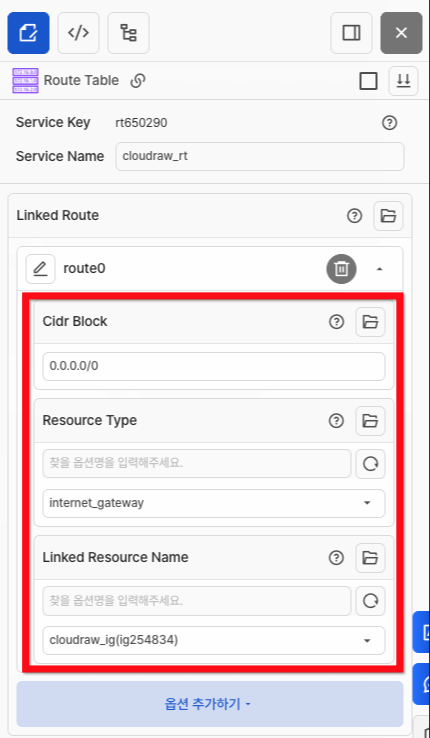
- In the Linked Route option, set the Cidr Block value to [0.0.0.0/0].
- Set the Resource Type value to [internet_gateway].
- Click the drop_down of Linked Resource Name and select the Internet Gateway connected to the routing table.
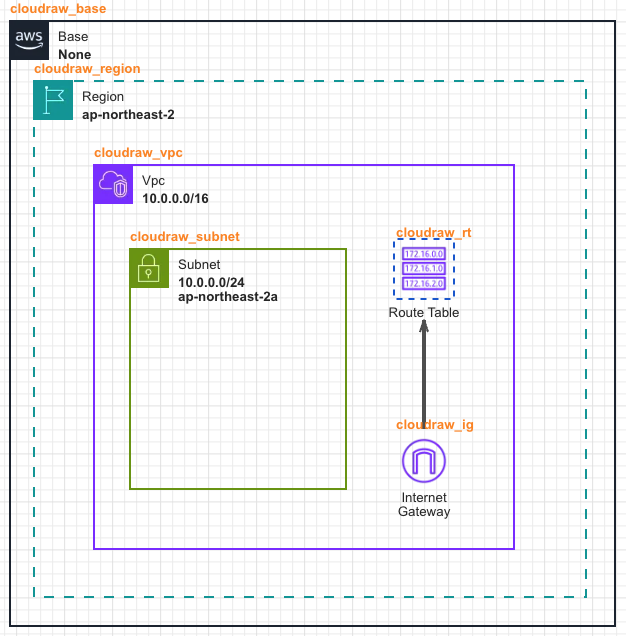
- Verify that the Private Subnet has been converted to a Public Subnet.