AutoscalingGroup
Resource Icon

Resource Overview
An Auto Scaling Group (ASG) automatically adjusts resources by launching or terminating EC2 instances based on application demand.
Associated Resources
Parent Resources
Connected Resources
Resource Configuration
Basic Settings
launch_template_name: Name of the Launch Template used by the Auto Scaling Groupsubnet_ids: List of subnet IDs where the Auto Scaling Group launches resourceslinked_targetgroup_name: Name of the associated target groupdesired_capacity: Target number of instances to maintainmin_size: Minimum number of instances to maintainmax_size: Maximum number of instances to maintaindefault_cooldown: Time in seconds to wait between scaling activities
Tags
tags: Tags used to categorize the resource
Autoscaling + LB Configuration
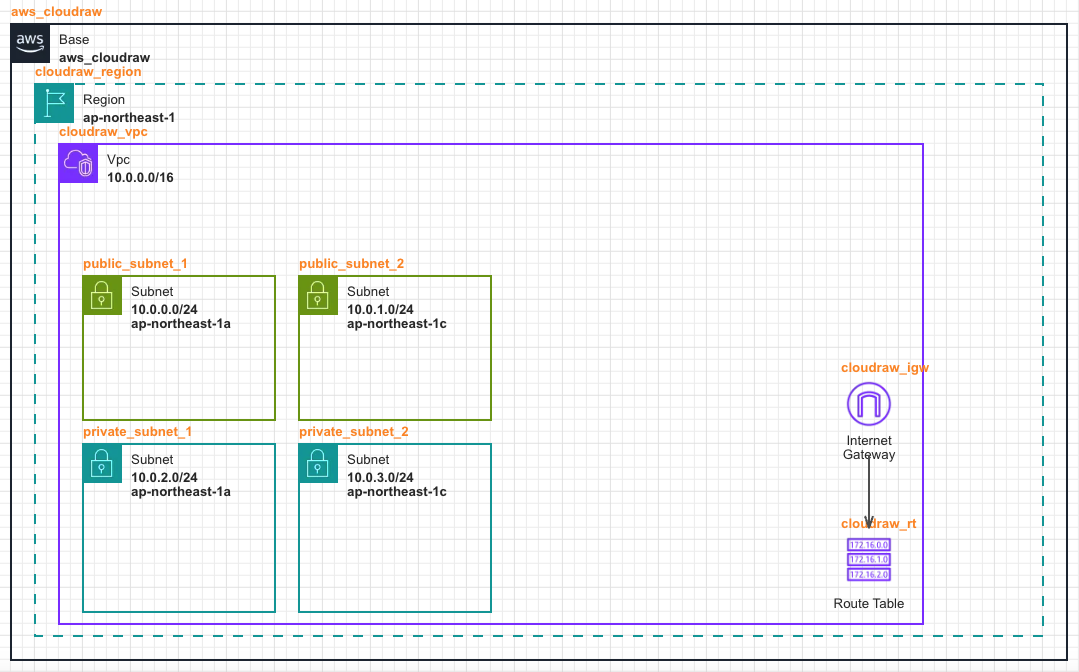
- First, create a basic network environment for infrastructure configuration.
- Create one VPC and configure 2 Public Subnets and 2 Private Subnets in different Availability Zones for high availability. Also, configure Internet Gateway and Route Table for external internet communication.
- Configure the Subnet by referring to Public Subnet Configuration.
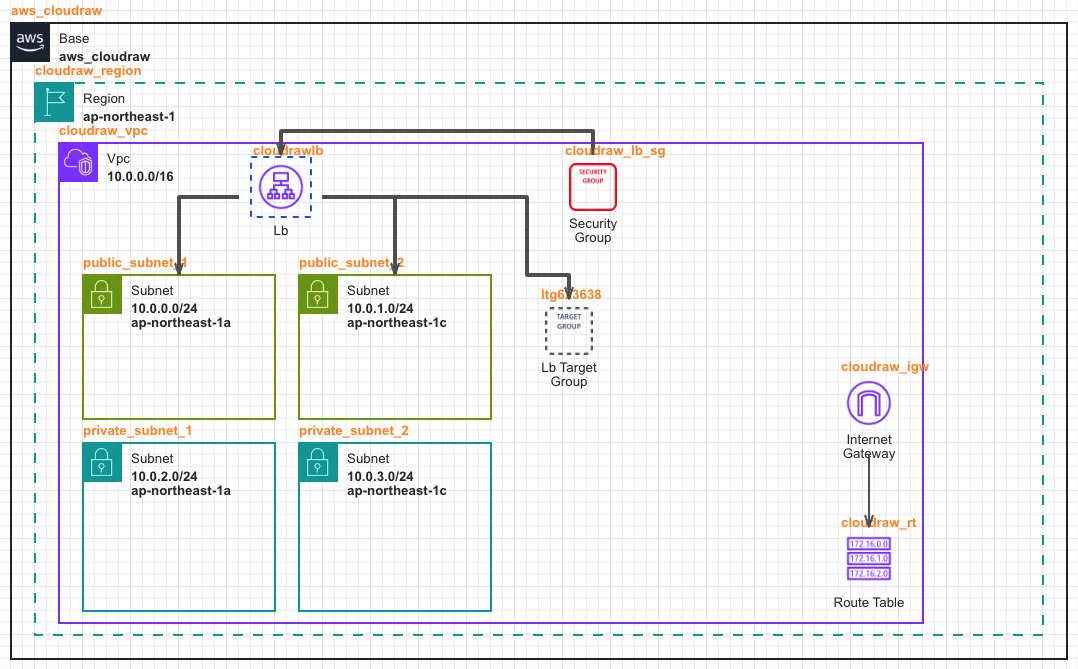
- Add a Load Balancer to stably handle incoming traffic from the outside.
- Place the Load Balancer in the Public Subnet to make it accessible from the internet, place a dedicated Security Group for security control, and connect a line towards the Load Balancer.
- To define the set of target resources to which the Load Balancer will actually deliver traffic, place a Load Balancer Target Group and connect a line in the direction [Load Balancer -> Load Balancer Target Group].
- Select the connected Target Group in the Listener - Linked Target Group Name option of the Load Balancer.
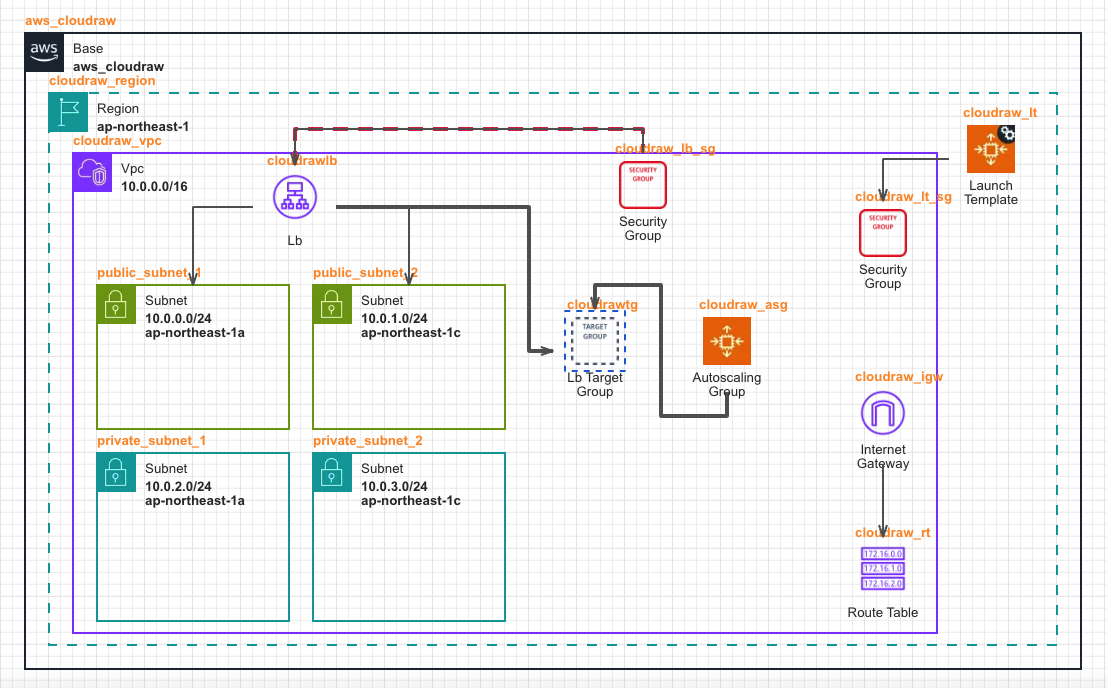
- Place Launch Template and Auto Scaling Group to automatically create and manage application servers.
- Set the Launch Template Name to use in the Autoscaling Group resource options, and set the subnets where EC2 instances will be created.
- Determine which Target Group the created EC2 instances will be automatically registered to using the Linked Targetgroup Name option.